
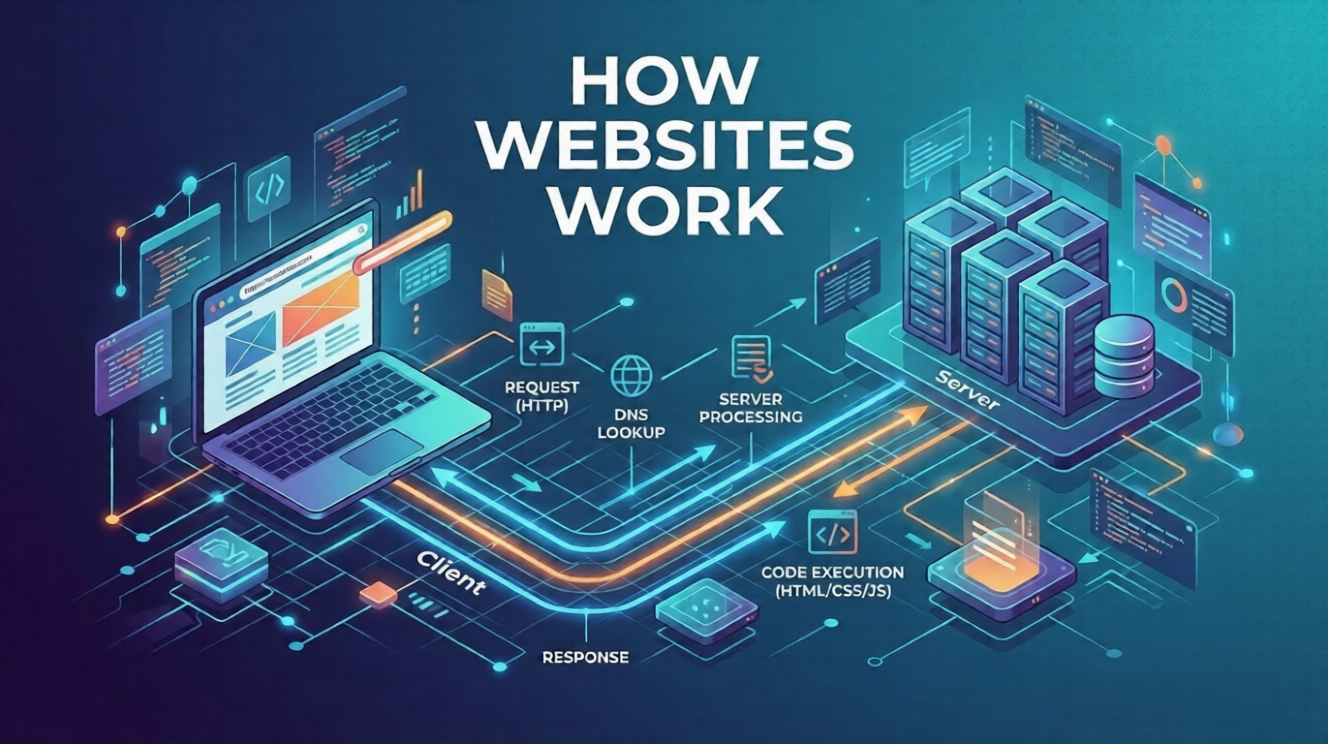
How Websites Work: Explained in Simple Terms
The Hidden Magic Behind Every Website
Every day, students open dozens of websites – for studying, watching videos, checking results, applying for colleges, or browsing social media.
But have you ever wondered what actually happens when you type a website address and press Enter?
Within seconds, text, images, videos, and buttons appear on your screen. It feels instant, almost magical.
In reality, a lot of technology is working behind the scenes.
Understanding how websites work is the first step toward learning web development, one of the most in-demand digital skills today.
If you are a student in 11th, 12th, BA, BCA, BSc, B.Com, or Engineering, this guide will help you understand the basics in simple and practical terms.
Let’s break it down step by step.
What Is a Website?
A website is a collection of web pages that live on the internet and can be accessed using a browser.
Examples include:
- Educational websites
- News websites
- Online shopping platforms
- College portals
- Blogs and portfolios
Each website has:
- Pages (home page, about page, contact page)
- Content (text, images, videos)
- Interactive features (forms, buttons, login systems)
All of these are created using web development technologies.
The 3 Core Components That Make Websites Work
Every website depends on three main components.
| Component | What it Does | Example |
|---|---|---|
| Browser | Displays the website to users | Chrome, Edge, Firefox |
| Server | Stores website files | Hosting servers |
| Internet | Connects browser to server | Global network |
Think of it like ordering food online:
- You place an order (browser request)
- The restaurant prepares the food (server processing)
- Delivery brings it to you (internet connection)
Step-by-Step: What Happens When You Open a Website
Let’s say you type a website address into your browser.
Here is what happens in simple steps.
Step 1: You Enter a Website Address (URL)
Example:
www.example.com
This is called a URL (Uniform Resource Locator).
It tells your browser which website you want to visit.
Step 2: The Browser Finds the Server
The browser asks the Domain Name System (DNS):
“Where is this website located?”
DNS acts like the internet’s phone book.
It converts a website name into an IP address, which identifies the server where the website is stored.
Example:
Step 3: The Browser Sends a Request
Once the server is located, your browser sends a request called an:
HTTP request
It basically asks:
“Please send the files needed to display this website.”
Step 4: The Server Sends Website Files
The server responds by sending website files such as:
- HTML files
- CSS styles
- JavaScript code
- Images
- Videos
These files contain the structure, design, and functionality of the website.
Step 5: The Browser Builds the Page
Your browser reads these files and builds the webpage you see.
Here’s how the technologies work together:
| Technology | Purpose |
|---|---|
| HTML | Structure of the page |
| CSS | Design and Styling |
| JavaScript | Interactivity and Logic |
Within seconds, the page appears on your screen.
Example: Loading a College Website
Imagine a student visiting a college website to check admission details.
Here is what happens:
- Student types the website address.
- Browser finds the server.
- Server sends files.
- Browser displays:
- Admission form
- Course list
- Contact information
All of this happens in less than a second.
That is the power of web technology.
Frontend vs Backend: Two Sides of Every Website
Websites have two main parts.
| Frontend | Backend |
|---|---|
| What users see | What works behind the scenes |
| Layout, colors, buttons | Database, Login system |
| HTML, CSS, JavaScript | PHP, Node.js, Python |
Frontend Example
- Navigation menus
- Images
- Text content
Backend Example
- User login
- Storing form data
- Managing databases
Both parts are essential to create a working website.
Why Students Should Understand How Websites Work
Understanding website fundamentals gives students a huge advantage in the digital world.
1. Builds Technical Confidence
Instead of just using technology, you begin to understand how it works.
2. Opens Career Opportunities
Web development is one of the fastest growing digital careers.
Students can become:
- Web Developers
- Frontend Developers
- Backend Developers
- UI Designers
- Freelancers
- Tech Entrepreneurs
3. Enables Freelancing Opportunities
Many students start earning by:
- Creating websites for small businesses
- Designing portfolios
- Building blogs
- Managing online stores
4. Helps in Higher Studies
Students pursuing:
- BCA
- B.Tech
- Computer Science
- IT courses
benefit greatly from early exposure to web technologies.
Why Web Development Is One of the Best Skills to Learn Today
The internet economy is growing rapidly.
Every organization needs websites:
- Schools
- Businesses
- Hospitals
- Startups
- Government portals
This means web developers are always in demand.
Key advantages of learning web development:
- High career demand
- Remote work opportunities
- Freelancing potential
- Global job market
- Creative and technical work
For students exploring skill-based careers, web development is one of the most practical and future-proof options.
How the SiteGenius Web Development Program Helps Beginners
Learning web development becomes much easier when you follow a structured training program.
The SiteGenius Web Development Training Program is designed especially for beginners and students.
It focuses on practical learning rather than only theory.
Students learn step by step:
Beginner Level
- Internet fundamentals
- Website structure
- HTML basics
- CSS styling
Intermediate Level
Responsive web design
Layout building
Website optimization
Advanced Learning
- Real website projects
- Portfolio building
- Deployment of website
Students also gain:
- Hands-on practice
- mentor guidance
- real project experience
- career-oriented skills
You can:
- Explore the curriculum page to see skill modules
- Visit the admission page for batch details
- Attend the free Awareness session
FAQs- How Websites Work
1. How do websites actually work?
Websites work by sending files from a server to your browser through the internet. The browser then reads HTML, CSS, and JavaScript to display the page you see.
2. What are the basic technologies used in websites?
The three main technologies are:
- HTML – structure of the webpage
- CSS – design and styling
- JavaScript – interactive features
Together they create the complete user experience.
3. Can beginners learn web development easily?
Yes. Web development is one of the most beginner-friendly tech skills. With proper guidance and practice, students can start building simple websites within weeks.
4. Is web development a good career for students?
Yes. Web development offers:
- high demand jobs
- freelancing opportunities
- remote work options
- strong career growth
Many students start learning even before college.
5. How can I start learning web development?
You can start by learning the basics of HTML, CSS, and website structure. Structured training programs like SiteGenius Web Development Training help beginners learn step by step with practical projects.
Conclusion: Your First Step Into the World of Web Development
Every website you visit – from educational portals to social media platforms – runs on the same fundamental principles.
Once you understand how websites work, the next step is learning how to build them yourself.
For students looking to develop real digital skills and career opportunities, web development is a powerful starting point.
Instead of just browsing the internet, imagine being able to create websites, launch projects, and even build a tech career.
The journey begins with understanding the basics – and taking the first step toward learning.