
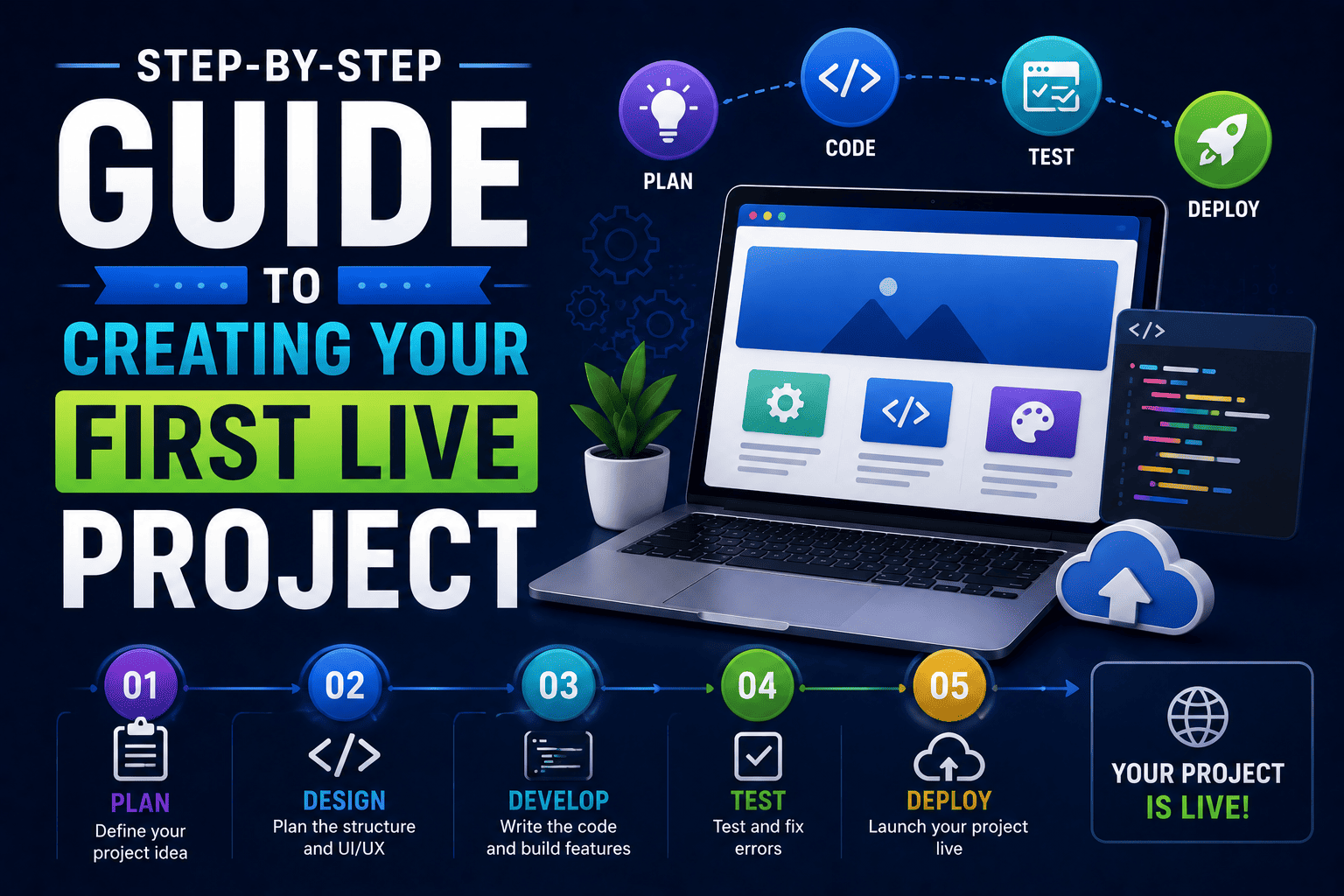
Step-by-Step Guide to Creating Your First Live Project
Imagine this.
You have spent weeks learning HTML, CSS, JavaScript, WordPress, or web design concepts.
You understand the fundamentals.
You have completed tutorials.
You have watched countless videos and followed step-by-step lessons.
But then someone asks:
“Can I see something you have built?”
At that moment, you realize that learning theory is only one part of becoming a web developer.
This is where the Step-by-Step Guide to Creating Your First Live Project becomes important. Building a real project is the stage where practical learning truly begins.
Whether you are a student in 11th or 12th grade, pursuing a BA, BCA, BSc, B.Com, or B.Tech degree, creating your first live project can be a major milestone in your web development journey.
In this guide, you’ll learn exactly how to create your first live project – from selecting the right idea to launching it online successfully.
What Is a Live Project?
A live project is a website or web application that is deployed on the internet and accessible through a web address.
Unlike practice exercises stored on your computer, a live project can be visited by:
- Recruiters
- Teachers
- Clients
- Friends
- Potential employers
Examples of live projects include:
- Personal portfolio websites
- Business websites
- Blog websites
- Event management systems
- Student attendance systems
- Online quiz applications
A live project transforms your knowledge into practical experience.
Why Every Student Should Build a Live Project
Many students spend months learning concepts but never apply them.
That creates a gap between learning and doing.
Creating a live project helps you:
- Apply real-world skills
- Build confidence
- Create portfolio content
- Improve problem-solving abilities
- Gain practical experience
- Prepare for internships and jobs
Employers often prefer students who can demonstrate practical work rather than simply list technical skills on a resume.
The Difference Between Learning and Building
Consider these two students:
| Student A | Student B |
|---|---|
| Watches tutorials | Builds projects |
| Learns theory | Applies theory |
| Has certificates | Has working websites |
| Limited experience | Practical experience |
Both students may have completed the same course.
However, Student B stands out because they have proof of their skills.
This is why building projects is so important.
Step-by-Step Process to Create Your First Live Project
Step 1: Choose a Simple Project Idea
Many beginners make the mistake of starting with extremely complex projects.
They try to build:
- Social media platforms
- Large eCommerce websites
- Advanced AI applications
As a beginner, start simple.
Great first live project ideas include:
- Personal portfolio website
- Restaurant website
- Travel website
- Blog website
- Photography portfolio
- College event website
The goal is not complexity.
The goal is completing a project successfully.
Step 2: Plan Your Project Before Coding
Professional developers rarely start coding immediately.
They first create a plan.
Ask yourself:
- What problem does the project solve?
- Who will use it?
- What pages are required?
- What features should it include?
For example, if you’re building a restaurant website, you might include:
- Home page
- Menu page
- About page
- Contact page
Planning saves time and reduces confusion later.
Step 3: Design the Layout
Before writing code, sketch your design.
You can use:
- Paper and pencil
- Figma
- Canva
- Adobe XD
Focus on:
- Navigation menu
- Content sections
- Images
- Buttons
- Contact forms
A simple, clean design often performs better than a complicated one.
Step 4: Build the Frontend
Now it’s time to start development.
Common frontend technologies include:
- HTML
- CSS
- JavaScript
- Bootstrap
Your frontend should be:
- Easy to navigate
- Mobile-friendly
- Fast loading
- Visually appealing
Remember that users care about experience, not technical complexit
Step 5: Add Interactive Features
Once your design is ready, add functionality.
Examples of interactive features include:
- Contact forms
- Image sliders
- Search bars
- Navigation menus
- Quiz systems
- Calculators
Interactive elements make your project feel more professional and engaging.
Step 6: Test Everything Carefully
Many students skip testing.
This is a mistake.
Even a small error can create a poor user experience.
Test your project for:
- Broken links
- Mobile responsiveness
- Form functionality
- Loading speed
- Spelling mistakes
- Layout issues
Professional developers spend significant time testing before launch.
Step 7: Make Your Website Mobile-Friendly
More than half of internet users browse websites using mobile devices.
A website that works perfectly on desktop but fails on smartphones can leave a negative impression.
Check your website on:
- Android phones
- iPhones
- Tablets
- Laptops
- Desktop screens
Responsive design is one of the most important skills in modern web development.
Step 8: Publish Your Project Online
This is the most exciting step.
Your project becomes a live website.
Popular free hosting platforms include:
- GitHub Pages
- Netlify
- Vercel
If you are working with WordPress, you can use hosting providers that support WordPress installations.
Publishing your project gives you a live URL that can be shared with recruiters and clients.
Step 9: Add the Project to Your Portfolio
After publishing your project, showcase it in your portfolio.
Include:
- Project name
- Screenshots
- Live link
- Technologies used
- Project description
- Challenges solved
This transforms your project into a valuable career asset.
Step 10: Gather Feedback and Improve
Your first version does not need to be perfect.
In fact, most successful projects improve over time.
Ask feedback from:
- Friends
- Teachers
- Mentors
- Classmates
- Web development communities
Constructive feedback helps you grow faster.
Common Mistakes Beginners Should Avoid
Many students encounter the same challenges.
Avoid these mistakes:
- Choosing overly complex projects
- Copying tutorials without understanding
- Ignoring mobile responsiveness
- Publishing unfinished work
- Using poor-quality images
- Forgetting to test thoroughly
A small, polished project is usually more impressive than a large unfinished one.
Powerful Live Project Ideas for Students
If you’re looking for inspiration, consider these projects:
Beginner Projects
- Personal portfolio
- Blog website
- Landing page
- Resume website
- College event website
Intermediate Projects
- Student management system
- Online quiz application
- Task manager
- Event booking system
- Weather application
Advanced Projects
- E-commerce website
- Job portal
- Learning management system
- Freelancing platform
- Social networking website
Choose projects that align with your interests and career goals.
Why Live Projects Matter for Your Career
A live project demonstrates much more than coding ability.
It shows:
- Initiative
- Creativity
- Problem-solving
- Technical skills
- Project completion ability
When applying for internships or jobs, recruiters often prefer candidates who can show working projects.
A live project can become your strongest proof of capability.
Why Project-Based Learning Is the Fastest Way to Learn
Many students learn faster when they build rather than memorize.
Project-based learning helps you develop:
- Technical skills
- Critical thinking
- Confidence
- Creativity
- Practical experience
Every project teaches lessons that cannot be learned from theory alone.
How SiteGenius Helps Students Build Real-World Projects
Many students struggle because they learn concepts without applying them in practical situations.
The SiteGenius Web Development Training Program focuses on hands-on learning through real projects.
Students learn:
- WordPress website development
- Responsive web design
- HTML, CSS and JavaScript fundamentals
- Website deployment
- SEO basics
- Real-world project implementation
Instead of only studying theory, students build projects that can be added directly to their portfolios.
This practical approach helps students become more confident and industry-ready.
You can:
- Explore the curriculum page to see skill modules
- Visit the admission page for batch details
- Attend the free Awareness session
FAQs- Step-by-Step Guide to Creating Your First Live Project
What is a live project in web development?
A live project is a website or web application that is published online and accessible through a web address.
What is the best first live project for beginners?
A personal portfolio website is often the best first project because it is simple, practical and useful for future career opportunities.
Do I need coding experience to create a live project?
No. Beginners can start with basic HTML, CSS, JavaScript or WordPress projects and gradually build more advanced applications.
Where can I host my first live project for free?
Popular free hosting platforms include GitHub Pages, Netlify and Vercel.
Can a live project help me get internships?
Yes. Live projects provide practical proof of your skills and can significantly improve your chances of securing internships and freelance opportunities.
Conclusion
Creating your first live project is one of the most important milestones in your web development journey.
It transforms theoretical knowledge into practical experience.
It builds confidence.
It strengthens your portfolio.
And it prepares you for real-world opportunities.
Start small.
Focus on completing your project.
Keep improving with every version.
Remember, every successful developer started with a first project.
The best time to build yours is today.